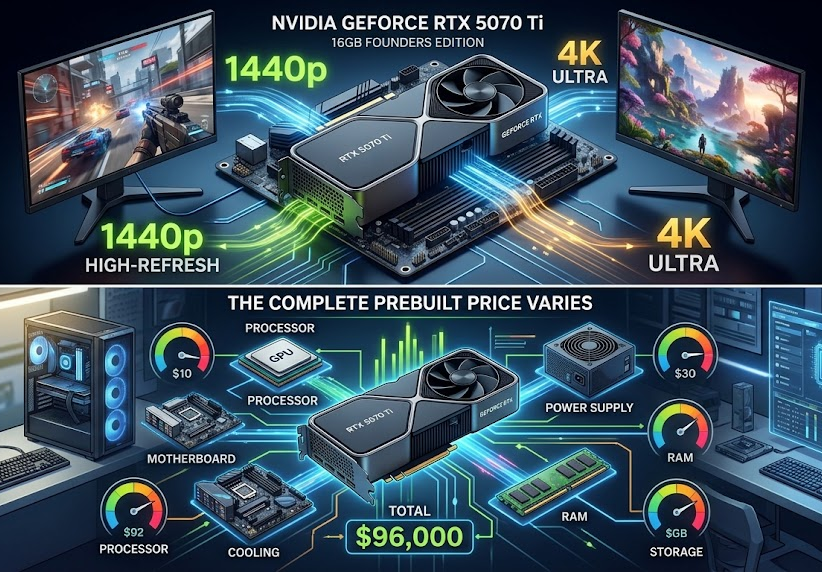
The RTX 5070 Ti sits in an interesting part of NVIDIA’s current GPU lineup. It is powerful enough to make high-refresh 1440p gaming straightforward and capable of serious 4K gaming, while its 16GB of GDDR7 memory gives it more breathing room than the standard RTX 5070. The catch is that the price of a complete prebuilt can vary dramatically depending on the processor, motherboard, cooling, power supply, RAM, and storage included with the GPU.
If you want the best RTX 5070 Ti prebuilt PC build, the configuration I would target is an RTX 5070 Ti 16GB paired with a Ryzen 7 9800X3D, 32GB of DDR5 memory, a 2TB NVMe SSD, a quality 850W-class power supply, and a modern B850 motherboard. CyberPowerPC currently lists an RTX 5070 Ti system with the Ryzen 7 9800X3D, 32GB DDR5-6000, 2TB NVMe storage, and an ASUS PRIME B850-PLUS WiFi motherboard, although its current listed price is high enough that buyers should compare alternatives before purchasing.
That configuration is not necessarily the cheapest way to get an RTX 5070 Ti. It is the kind of balanced specification that makes sense if the goal is to build a powerful gaming PC without pairing the GPU with unnecessarily weak supporting hardware.
What makes a good RTX 5070 Ti prebuilt?
A prebuilt gaming PC should be judged as a complete computer rather than by its graphics card alone. Two systems can both advertise an RTX 5070 Ti but deliver very different value because one might have a strong modern CPU, 32GB of dual-channel RAM and 2TB of storage, while another cuts costs with a smaller SSD, single-stick memory or a less capable power supply.
For an RTX 5070 Ti system, a strong target specification looks like this:
The RTX 5070 Ti itself has 8,960 CUDA cores, 16GB of GDDR7 memory and a 256-bit memory interface. NVIDIA also supports DLSS 4 technologies on the card, including Super Resolution, Ray Reconstruction, Frame Generation and Multi Frame Generation.
NVIDIA rates the GPU at 300W total graphics power, so the rest of the machine should not be treated as an afterthought.
My recommended RTX 5070 Ti prebuilt configuration
GPU: GeForce RTX 5070 Ti 16GB
This is the foundation of the entire build.
The 16GB GDDR7 configuration is particularly attractive for a high-end 1440p or 4K-oriented gaming PC. The card's 256-bit memory interface and Blackwell architecture give it substantially more memory capacity than the RTX 5070, which has 12GB.
The RTX 5070 Ti launched at a $749 MSRP, although actual prebuilt-system pricing is obviously much higher because the computer also includes the CPU, motherboard, memory, storage, case, cooling, power supply and Windows.
One important point is that there is no NVIDIA Founders Edition RTX 5070 Ti. The card is supplied through board partners and system builders, meaning cooling design, physical dimensions and factory clocks can differ between manufacturers.
CPU: AMD Ryzen 7 9800X3D
For a gaming-focused prebuilt, the Ryzen 7 9800X3D is an excellent processor to pair with this class of GPU.
The reason is not simply that it is a fast CPU. The X3D design is specifically aimed at gaming workloads, making it a sensible choice when the computer's primary job is playing games at high frame rates.
A high-end CPU also makes more sense if you plan to use a 240Hz or 360Hz 1440p monitor, play competitive games, stream while gaming, or keep the system for several years.
CyberPowerPC currently lists an RTX 5070 Ti configuration with the Ryzen 7 9800X3D, 32GB DDR5-6000 and 2TB WD Green SN3000 NVMe storage.
The drawback is price. A 9800X3D-based prebuilt can cost considerably more than an RTX 5070 Ti system using a less expensive CPU, so it is worth deciding whether maximum gaming performance is actually your priority.
RAM: 32GB DDR5
For a new gaming PC in this performance class, 32GB should be the target.
A 2 × 16GB configuration is preferable to 16GB in a single module because dual-channel memory provides a better configuration for a modern gaming system.
32GB is also useful beyond gaming. It gives you more room for browsers, Discord, recording software, game launchers and other applications to remain open while you play.
CyberPowerPC's current RTX 5070 Ti configurations include 32GB memory, which is the specification I would look for when comparing prebuilts.
Storage: 2TB NVMe SSD
A 1TB SSD can work, but 2TB is a much better target for an RTX 5070 Ti gaming PC.
Modern games can consume substantial amounts of storage, and a 2TB drive means you are less likely to start deleting games after installing a handful of large titles.
CyberPowerPC currently lists both 2TB RTX 5070 Ti systems and configurations using 2TB WD Green SN3000 PCIe 4.0 NVMe storage.
The exact SSD model still matters, however. A prebuilt advertised simply as "2TB NVMe" does not tell you enough about the drive's controller, NAND, endurance or sustained performance. Buyers should check the detailed configuration before ordering.
Motherboard: B850 or equivalent modern platform
For a new AMD-based build, a modern B850 motherboard is a sensible match for the Ryzen 7 9800X3D.
The motherboard does not need to be an ultra-expensive flagship model. What matters more is that it provides the connectivity, expansion options, memory support, networking and power delivery you actually need.
CyberPowerPC's current 9800X3D/RTX 5070 Ti configuration uses the ASUS PRIME B850-PLUS WiFi.
That is a useful example of the kind of platform to look for rather than assuming that the most expensive motherboard automatically makes the PC faster.
How much power does an RTX 5070 Ti build need?
The RTX 5070 Ti is rated at 300W, so the power supply deserves attention.
For a normal RTX 5070 Ti gaming system, a good-quality 750W PSU is a reasonable baseline, while 850W gives additional headroom for a powerful CPU, future upgrades and transient power demands.
The wattage printed on the PSU is not the only consideration. A reputable manufacturer, appropriate efficiency rating, modern GPU power connector support and adequate protections are all important.
This is one of the hidden areas where prebuilts can differ. A PC with an expensive GPU and CPU but a questionable power supply is not a well-balanced build.
What performance should you expect?
The RTX 5070 Ti is primarily a high-end 1440p GPU with strong 4K capabilities.
Independent testing from Tom's Hardware found that the card can handle 1440p and 4K gaming, with upscaling becoming increasingly useful at 4K. Its testing methodology includes 1080p, 1440p and 4K workloads across rasterized and ray-traced games.
That distinction matters because there is no single "RTX 5070 Ti FPS." Performance changes significantly depending on the game, resolution, graphics settings, ray tracing, CPU, DLSS mode and whether frame generation is enabled.
For example:
- 1080p: Often makes more sense for very high-refresh competitive gaming.
- 1440p: The natural target for this GPU.
- 4K: Very capable, especially when DLSS is used appropriately.
- Ray tracing: One of the RTX 5070 Ti's important advantages.
- DLSS 4: Can substantially increase perceived smoothness in supported games.
- Content creation: The GPU's CUDA and AI capabilities can also be useful outside gaming.
Generated frames should not be confused with traditionally rendered frames, though. Frame Generation and Multi Frame Generation can improve displayed frame rates and smoothness, but they do not replace the responsiveness of the underlying rendered frames.
Why 16GB of VRAM matters
VRAM is the graphics card's dedicated high-speed memory.
The RTX 5070 Ti's 16GB capacity is one of its strongest specifications. It gives the card more room for high-resolution textures, demanding games and workloads that consume large amounts of graphics memory.
That does not mean 16GB guarantees perfect 4K performance in every future game. GPU performance, memory bandwidth, game optimization and rendering techniques still matter.
But when choosing between two similarly priced systems, I would generally prefer the RTX 5070 Ti's 16GB configuration over a card with substantially less VRAM if high-resolution gaming is the objective.
DLSS 4 is a major reason to consider the 5070 Ti
Raw rendering performance is only part of the RTX 5070 Ti story.
NVIDIA's Blackwell generation introduced a new generation of DLSS technologies. DLSS can reconstruct a higher-resolution image from a lower-resolution render, while Frame Generation and Multi Frame Generation can create additional frames using AI-based techniques.
The RTX 5070 Ti includes fifth-generation Tensor Cores and fourth-generation ray-tracing cores, alongside support for DLSS 4.
This becomes particularly useful in demanding ray-traced games where native 4K rendering can be extremely expensive.
Still, DLSS support varies by game, and users should not compare a native-rendered frame rate directly with a generated-frame number as though they represent exactly the same type of performance.
The best current prebuilt examples
There is no single prebuilt that wins for every buyer because pricing changes and manufacturers frequently change configurations.
Best high-end configuration: CyberPowerPC RTX 5070 Ti + Ryzen 7 9800X3D
CyberPowerPC currently lists an End of Summer 5070 Ti configuration with:
- Ryzen 7 9800X3D
- GeForce RTX 5070 Ti 16GB GDDR7
- 32GB DDR5-6000
- 2TB WD Green SN3000 PCIe 4.0 NVMe SSD
- ASUS PRIME B850-PLUS WiFi
- Windows 11 Home
The listed price is currently $2,949 on CyberPowerPC's main site, though promotions can change the effective price.
This is the kind of specification I would call the ideal target build, but I would not automatically call the $2,949 price a good value. At that level, the buyer should compare RTX 5080 systems and competing RTX 5070 Ti configurations before purchasing.
Best lower-cost configuration: CyberPowerPC GXL 99667
CyberPowerPC also lists a considerably cheaper RTX 5070 Ti system built around an Intel Core i7-14700KF, 32GB DDR5, a Z790 DDR5 motherboard and a 2TB PCIe 4.0 NVMe SSD.
Its listed price is $2,219 on the current product listing.
This is potentially more interesting for buyers focused on getting the RTX 5070 Ti without paying the premium for a newer X3D platform.
The trade-off is platform age. The i7-14700KF/Z790 combination is not as new as an AM5/B850 system, so buyers should consider upgrade plans as well as immediate gaming performance.
What about CyberPowerPC's Intel Core Ultra option?
CyberPowerPC also lists an Intel-based RTX 5070 Ti configuration using the Core Ultra 7 270K Plus, 32GB DDR5-6000, an ASUS Z890 MAX GAMING WIFI7 motherboard and 2TB NVMe storage. The current listing shows a price of $2,879.
It is a modern platform and has strong specifications, but the price makes the Ryzen 7 9800X3D configuration and less expensive Intel option worth comparing carefully.
The lesson is simple: don't buy based on the CPU name alone. Look at the complete configuration and the price you are actually paying.
What should you avoid?
Some RTX 5070 Ti prebuilts look attractive until you inspect the supporting components.
16GB of RAM
A system with an RTX 5070 Ti but only 16GB of system RAM is not automatically bad, but it is not the configuration I would target for a new high-end gaming PC.
If the price difference to 32GB is small, take the 32GB system.
1TB storage at a premium price
A 1TB SSD can be perfectly functional, but paying a high-end system price while receiving only 1TB of storage is less attractive when competing machines offer 2TB.
Unknown power supply
If a manufacturer refuses to identify the PSU model or at least provide meaningful specifications, that is a reason to investigate further.
The graphics card may get all the marketing attention, but the PSU supplies power to the entire system.
Weak CPU paired with an expensive GPU
An RTX 5070 Ti can be paired with many processors, but spending heavily on the GPU while using an unnecessarily weak CPU can create an imbalanced system, particularly at lower resolutions and high refresh rates.
Paying too much for RGB
RGB lighting has no meaningful effect on gaming performance.
If two PCs have the same GPU and broadly comparable components but one costs hundreds more primarily because of lighting, fans and cosmetic extras, the less expensive system is usually the more sensible purchase.
Is an RTX 5070 Ti prebuilt good for 4K gaming?
Yes, but expectations should be realistic.
The RTX 5070 Ti has enough performance for serious 4K gaming, but demanding games with heavy ray tracing can still require DLSS or adjusted settings. Tom's Hardware specifically found the card capable of 4K gaming, particularly with upscaling assistance.
If your priority is a 4K 144Hz monitor with maximum ray tracing in every new game, an RTX 5080-class system may make more sense if the price difference is reasonable.
For 1440p high-refresh gaming, however, the RTX 5070 Ti is much easier to justify.
RTX 5070 Ti vs RTX 5080 for a prebuilt
The decision becomes interesting when the prices of complete systems get close.
The RTX 5080 launched at $999, compared with the RTX 5070 Ti's $749 MSRP.
That does not mean an RTX 5080 PC should cost exactly $250 more than an RTX 5070 Ti PC. Prebuilt pricing depends on the CPU, motherboard, RAM, storage and other components.
The practical rule is to compare complete PCs rather than GPU MSRP.
If an RTX 5070 Ti system costs $2,900 while a substantially faster RTX 5080 configuration is only modestly more expensive, the 5080 machine may be the better purchase.
On the other hand, if the 5070 Ti system is hundreds of dollars cheaper and your target is 1440p, the extra money may not provide enough benefit to justify moving up.
Is a prebuilt better than building an RTX 5070 Ti PC yourself?
For some buyers, absolutely.
A prebuilt gives you a complete system with the components assembled, Windows installed and a single company responsible for system-level support.
Building yourself can give you more control over the exact motherboard, SSD, cooler, PSU, case and graphics card. It can also make it easier to avoid components you consider weak.
The trade-off is time and responsibility. With a self-built PC, you are responsible for component compatibility, assembly, BIOS settings and troubleshooting.
For someone who wants to plug in the PC and start gaming, a good prebuilt can be worth paying extra for.
Who should buy an RTX 5070 Ti prebuilt?
This class of PC makes the most sense for:
- Gamers targeting high-refresh 1440p.
- Players who want strong 4K capability without moving to an RTX 5090-class system.
- Users interested in ray tracing and DLSS.
- Streamers who need a powerful GPU alongside a capable CPU.
- Content creators who benefit from NVIDIA's GPU acceleration and CUDA ecosystem.
- Buyers who want a complete system rather than assembling individual components.
It is less compelling for someone who mainly plays lightweight esports games at 1080p. In that situation, spending RTX 5070 Ti money may be unnecessary.
A simple buying checklist
Before ordering an RTX 5070 Ti prebuilt, check these specifications in order:
- RTX 5070 Ti 16GB — confirm that it is actually the Ti model, not the RTX 5070.
- 32GB RAM — preferably 2 × 16GB.
- Modern CPU — Ryzen 7 9800X3D is an excellent gaming target.
- 2TB NVMe SSD — preferable for a new high-end gaming system.
- Known PSU specifications — ideally a reputable 750W–850W unit.
- Adequate cooling — especially with high-power CPUs.
- Motherboard model — don't settle for a completely unspecified board.
- Warranty — understand exactly what the manufacturer covers.
- Total price — compare the complete PC, not just the GPU.
- Upgrade path — consider whether you may want more storage, memory or a future CPU upgrade.
Frequently Asked Questions
What is the best RTX 5070 Ti prebuilt PC build?
A strong target is an RTX 5070 Ti 16GB, Ryzen 7 9800X3D, 32GB DDR5 and 2TB NVMe SSD system with a modern B850 motherboard and quality 750W–850W power supply. CyberPowerPC currently offers a configuration close to this specification.
Is 32GB RAM enough for an RTX 5070 Ti PC?
Yes. 32GB is a strong capacity for a modern gaming PC and provides considerably more flexibility than 16GB for gaming alongside browsers, streaming and other applications.
Is the RTX 5070 Ti good for 1440p?
Yes. 1440p is one of the resolutions where the RTX 5070 Ti makes the most sense. Independent testing places it among the stronger options for high-refresh 1440p gaming, while DLSS can further help in demanding titles.
Is the RTX 5070 Ti good for 4K?
Yes, although the ideal settings depend on the game. The GPU can handle 4K, but demanding ray-traced games may benefit substantially from DLSS and carefully selected graphics settings.
How much should an RTX 5070 Ti prebuilt cost?
There is no single correct price because the rest of the configuration matters. Current CyberPowerPC listings show a wide spread, from around $2,219 for an i7-14700KF/32GB/2TB configuration to $2,949 for a Ryzen 7 9800X3D/32GB/2TB system. Prices and promotions can change quickly, so the complete configuration should be compared at the time of purchase.
Conclusion
The best RTX 5070 Ti prebuilt PC build is not simply the one with the most expensive processor or the most RGB lighting. The sweet spot is a balanced machine where the RTX 5070 Ti 16GB is supported by 32GB of DDR5, 2TB of NVMe storage, a capable modern CPU, reliable cooling and a quality power supply.
For a gaming-first machine, the Ryzen 7 9800X3D is an especially strong pairing. CyberPowerPC's current 9800X3D/RTX 5070 Ti configuration demonstrates what that kind of system looks like, although its current price is high enough that buyers should shop around rather than treating it as an automatic bargain.
The RTX 5070 Ti is particularly attractive when the goal is high-refresh 1440p gaming with the option to move into 4K. Its 16GB GDDR7 memory, Blackwell architecture and DLSS 4 support give it capabilities that extend beyond traditional rasterized gaming.
The most important buying rule is therefore simple: compare the entire PC, not the RTX 5070 Ti sticker on the product page. A slightly cheaper system with better-balanced components can be a much better purchase than an expensive prebuilt that spends the budget on the GPU while cutting corners everywhere else.